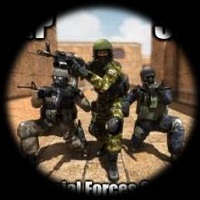

Special Forces Group
Have you ever wanted to feel what it’s like to be an elite soldier? Not the kind that just sits in a base. The kind that drops from helicopters, clears dark hallways, and takes down enemies with one clean shot. If you love action games on your phone, then you are going to love the Special Forces Group for Android.
This game is not like those slow, boring shooters where you just tap and hope. This game brings back the old-school feel of classic PC shooters like Counter-Strike 1.6, but it fits perfectly in your hands. You can play anywhere—on the bus, at lunch break, or lying on your couch.
Thousands of players around the world play this game every single day. Why? Because it is simple, fast, and super fun. You don’t need an expensive gaming phone. You don’t need to pay for skins or weapons, you just need to download it and start shooting.
In this article, we will explore everything about this game. We will talk about the modes, the weapons, the controls, and the hidden tips to make you a better player. By the end, you will want to grab your phone, call your friends, and jump into the action.
What Makes Special Forces Group for Android Different?
There are a thousand shooting games on the Google Play Store. Most of them are fake. They show cool trailers, but inside the game, you get boring auto-fire and pay-to-win weapons. That is not the case here.
Old-School Feel
The Special Forces Group for Android was built for players who miss the golden age of first-person shooters (FPS). Remember LAN parties? Remember learning every corner of a map? That feeling is alive here. The graphics are clean, not too flashy. The movements are crisp. The guns feel heavy and real.
No Internet? No Problem
Most mobile shooters force you to be online all the time. But this game has a powerful offline mode. You can play against bots anytime. That means you can practice your aim, learn new maps, or just kill time on an airplane. When you go online, you will be ready.
Controller Support
Touchscreen is fine, but real soldiers use real controls. The game lets you connect a Bluetooth controller. That is a huge bonus for serious players. You get console-level control right on your Android device.
Low Size, High Quality
Some games take up 5GB or more. That kills your phone storage. But the Special Forces Group for Android stays lean. It runs smoothly on older devices too. You don’t need the latest Samsung or Xiaomi flagship. If your phone runs YouTube, it runs this game.
Game Modes That Keep You Hooked
A good shooter needs variety. Playing the same deathmatch over and over gets boring fast. Thankfully, this game gives you many ways to fight.
Classic Deathmatch
Two teams. One map. Kill or be killed. This is the bread and butter of any FPS. You respawn fast, grab your favorite rifle, and hunt down the enemy team. The first team to hit the kill limit wins. Simple, chaotic, and addictive.
Bomb / Defuse Mode
This is where strategy comes in. One team tries to plant a bomb at a bombsite. The other team tries to stop them. There are no respawns in a round. So if you die, you watch until the next round. This mode makes your heart pound. Every bullet matters. Every step makes noise. If you love clutch moments—one player versus three enemies—this is your home.
Zombie Mode
Yes, zombies! Sometimes you want to shoot things that are not soldiers. In Zombie Mode, one player starts as a mutant zombie. That zombie runs faster and has more health. The human team must survive or kill the boss zombie. It is scary and funny at the same time. Screams fill the voice chat.
Knife Only Rooms
The community creates special rooms with knife-only rules. No guns, no grenades. Just you, a blade, and your reflexes. It sounds silly, but it teaches you movement and dodging. Plus, it is a great way to blow off steam.
Weapons and Gear – Build Your Loadout
What is a soldier without a weapon? The Special Forces Group for Android offers a huge arsenal. Every gun feels different. You need to learn recoil patterns, reload times, and damage ranges.
Rifles for All Ranges
- AK-47: High damage, high recoil. Two shots to the chest kill. Best for aggressive players.
- M4A1: Very stable. Low recoil. Great for beginners and mid-range fights.
- FAMAS: Burst-fire only. If you learn the timing, it melts enemies fast.
Snipers for One-Shot Kills
- AWP (Magnum Sniper): One shot, one kill anywhere on the body. Slow to move and slow to reload, but worth it.
- Scout: Lighter sniper. Two shots to kill, but you move faster. Great for quick-scoping practice.
Pistols and Knives
Never ignore your sidearm. The Deagle (Desert Eagle) can kill with two headshots. The knife is silent and deadly from behind. Pro players switch to their pistol instead of reloading in a fight.
Grenades and Equipment
- HE Grenade: Explodes after a short timer. Great for clearing corners.
- Flashbang: Blinds enemies. Push in while they cannot see.
- Smoke: Blocks vision. Use it to cover a bomb plant or cross a dangerous hallway.
You can buy new weapons using in-game money earned from kills and wins. No real cash needed. That is fair.
Maps You Need to Learn
Maps are the chessboard. If you do not know the map, you will die over and over. The Special Forces Group for Android includes remakes of legendary maps from PC history. Even if the names are changed, the layouts are familiar.
Desert Storm (Remake of Dust2)
A middle eastern town with double doors, a long hallway, and a dark tunnel. Long-range fights happen in the middle. Close fights happen in the tunnel. Learn the callouts: Long A, Catwalk, B site, and Mid. This map tests everything—aim, patience, and teamwork.
Assault (Remake of Italy)
A hostage rescue map. The counter-terrorists start outside a mansion. The terrorists defend from windows and balconies. This map is tricky because you must go inside dark rooms. Use smoke grenades and flashbangs before entering.
Arctic Station
A snowy base with two levels. Upper level has long sightlines. Lower level has tight corners. Snipers love this map. Shotgun lovers also love this map. Move slowly and listen for footsteps in the snow.
Training Area
A simple map with shipping containers and boxes. Great for new players. No confusing turns. Just run, aim, and shoot.
Spend time learning each map in offline mode. Walk through every corner. Know where the enemy can hide. That knowledge gives you an unfair advantage.
Graphics, Sound, and Performance
Let’s be honest. This is not a PS5 game. The graphics are not hyper-realistic. But that is a good thing. Why? Because low-poly graphics mean high frame rates. You want 60 frames per second (FPS) in a shooter. Smoothness beats prettiness.
Visual Style
The characters look like classic action figures. The weapons have shiny textures. The maps are colorful enough to spot enemies easily. No dark muddy mess. You can clearly see your target.
Sound Design
Footsteps are loud and directional. You can hear if someone is running to your left or right. Gunshots echo based on distance. The bomb makes a beeping noise that gets faster as explosion time nears. Wear headphones. Sound wins matches.
Performance on Android
The game runs on Android 4.4 and up. That includes almost every phone made in the last eight years. You can adjust graphics settings: shadow quality, texture detail, and anti-aliasing. Turn shadows off for maximum FPS.
Battery drain is normal. Not crazy like some battle royale games. You can play for two hours without melting your phone.
Multiplayer – Join the Global War
The soul of Special Forces Group for Android is online multiplayer. You create a username, pick a server region, and jump into rooms with real humans. The community is active 24/7. You will always find a match.
Creating or Joining Rooms
You see a list of public rooms. Each room shows: map name, mode, current players, and ping. Ping is your connection speed. Stay under 100 ms for smooth play. Over 150 ms means your bullets might not register correctly.
Voice Chat and Text Chat
Talk to your team. Call out enemy positions: “One at Long A!” or “Bomb spotted B site!” Voice chat makes you a better teammate. Text chat is also there for quick messages. Remember to be respectful. Toxic players get kicked.
Ranking System
The game tracks your kills, deaths, wins, and losses. There is no official ranked ladder like in big esports titles, but your Kill/Death ratio (K/D) shows your skill. A K/D above 1.5 means you are good. Above 2.5 means you are scary.
Playing with Friends
You can create a private room with a password. Invite your friends via WhatsApp or Discord. Then play custom matches. 2v2, 3v3, or even 1v1 sniper duels. This is where real memories are made.
Controls and Settings Guide for Beginners
New players often struggle because the default touch controls feel weird. Do not worry. You can customize everything.
Button Layout
Go to Settings > Controls. You see a picture of a phone screen with buttons. Drag each button anywhere you want. Put the fire button near your right thumb. Put the jump button near your left thumb. Make them bigger or smaller.
Aim Assist
Turn aim assist ON. This slightly pulls your crosshair toward enemies. It helps a lot when playing on a small screen. Pro players might turn it off for more freedom, but beginners should leave it on.
Sensitivity Settings
- Low Sensitivity: Good for snipers. Tiny finger movements give precise aim.
- High Sensitivity: Good for close combat. You can spin around fast.
Start with medium sensitivity. Play five matches. Then adjust up or down. There is no perfect setting. Only what feels right to you.
Gyroscope Option
Some Android phones have a gyroscope. This lets you aim by moving your phone physically. Tilt left to look left. It sounds weird, but some players swear by it. Try it in offline mode first.
Tips and Tricks to Dominate
You can play for a year and still learn new tricks. Here are ten powerful tips to jumpstart your skills.
- Don’t Run and Shoot: Running makes your bullets go everywhere except the target. Stop moving briefly, then shoot. This is called counter-strafing.
- Aim for the Head: Body shots take 3-5 bullets. Headshots take 1-2 bullets. Practice head-level aiming.
- Use Cover: Never stand in the open. Always have a wall, box, or corner nearby. Pop out, shoot, hide, reload.
- Learn the Recoil: Every gun’s crosshair jumps upward. Pull your finger down slightly while shooting. That controls recoil.
- Listen Carefully: Stop moving sometimes just to listen. Footsteps and reload sounds give away enemy positions.
- Check Your Radar: The mini-map shows your teammates. If your teammate dies, the enemy is near that spot.
- Buy Smart in Bomb Mode: First round: buy armor or a powerful pistol. Third round: buy rifle and full armor. Do not waste money.
- Don’t Reload After Every Kill: You have 30 bullets. You used 5 bullets. That is fine. Reloading gets you killed.
- Crouch for Accuracy: Crouching makes your shots much more accurate. Use it at long ranges.
- Watch Killcams: When you die, watch how the enemy killed you. Learn their position and angle. Next time, use that spot.
Is It Pay-to-Win? (Honest Answer)
No. This is a huge selling point. The Special Forces Group for Android offers in-app purchases, but they are for cosmetics only. You can buy different knife skins, character skins, or weapon finishes. These do not change damage, health, or speed.
The game also shows ads. After a match, you might see a short video ad. You can skip it after five seconds. Or you can pay a small one-time fee to remove all ads forever. That fee also gives you a special badge next to your name.
A free player and a paying player have exactly the same weapons, same grenades, and same armor. The only difference is looks. That is fair gaming.
How to Download Special Forces Group for Android Safely?
Because the game is so popular, fake copies exist on the internet. Some fake APK files contain viruses or steal your data. Only download from trusted sources.
Step-By-Step Guide:
- Open the Google Play Store on your Android phone.
- Type “Special Forces Group” into the search bar.
- Look for the developer “ForgeGames” (double-check the name; it changes sometimes, but look for high downloads and good reviews).
- Check the rating. It should be above 4.0 stars with over 1 million downloads.
- Tap Install.
- Wait for the download. It takes about 400-500 MB of space.
- Open the game. Grant permissions (storage and microphone for voice chat).
- Create a username. Start with offline mode to practice.
Never download from random websites promising “unlimited money” or “mod version.” Those will get your account banned or your phone infected.
Pros and Cons (Real Talk)
No game is perfect. Let’s break down the good and the bad.
Pros:
- Free to play with no pay-to-win.
- Works offline against bots.
- Smooth performance on old phones.
- Classic maps that FPS fans love.
- Controller support.
- Large online community.
- Customizable controls.
Cons:
- Graphics are dated (some players want realism).
- Occasional cheaters online (aimbots). The developer bans them, but new ones appear.
- No official esports support.
- Voice chat can be toxic sometimes (just mute rude players).
- Updates are slow. New content comes every few months, not every week.
For a free game, the pros heavily outweigh the cons. If you want modern 4K graphics, play on a PC or console. If you want pure fun on your phone, this is it.
Community and Player Base
The Special Forces Group for Android has a dedicated global community. You will find players from Brazil, India, Indonesia, Russia, and the USA. Everyone speaks different languages, but shooting is universal.
Where to Find Teammates:
- Discord: Search for “Special Forces Group” servers. Hundreds of players looking for squads.
- Reddit: There is a small but active subreddit. People share clips, ask questions, and report bugs.
- YouTube: Many creators post gameplay videos. Watch them to learn new tricks and map exploits.
- WhatsApp and Telegram: Some regional groups organize daily tournaments.
Join a clan. A clan is a group of players with the same tag before their name like [ELITE] or [PHANTOM]. Clans practice together and play against other clans. It feels like a real team sport.
Future of the Game
The developer continues to support Special Forces Group for Android. Recent updates added new zombie types, balanced overpowered weapons, and fixed network lag. Players hope for new maps in the future. Maybe a battle royale mode? Probably not, but we can dream.
The game has been alive for many years. That is rare for mobile games. Most die after six months. This one survives because the core gameplay is solid. No gimmicks. No forced updates. Just good shooting.
As long as people love old-school FPS games, this game will have a home on Android phones.
Frequently Asked Questions (FAQs)
1. Can I play Special Forces Group for Android without an internet connection?
Yes. Choose “Offline Mode” from the main menu. You will fight against bot enemies. You earn in-game money and experience just like online mode. It is perfect for practice or when your Wi-Fi is down.
2. Is the game safe for kids?
The game has cartoon-like violence. No blood or gore. But there is online voice chat, so strangers can talk to your child. You can disable voice chat in settings. The PEGI rating is 12+ for violence. Parents should decide based on their child’s maturity.
3. Which Android version do I need?
You need Android 4.4 (KitKat) or higher. That is very old. Almost any phone from 2014 onwards works. The game runs on 1GB of RAM, but 2GB or more is recommended for smooth online play.
4. How do I report a cheater?
In an online room, tap on the player’s name. Select “Report.” Choose the reason: aimbot, wallhack, or speed hack. The developer reviews reports. Cheaters get permanent bans. You can also record a video and email the support team.
5. Can I transfer my progress to a new phone?
Yes. Your progress is saved on your Google Play Games account. Install the game on your new phone, log into the same Google account, and your rank, kills, and purchases will sync automatically. Do not delete the old game data before confirming the sync.
Summary
The Special Forces Group for Android is more than just another shooting game. It is a love letter to classic FPS titles that defined a generation. You get fast-paced action, multiple game modes, a huge weapon selection, and legendary maps—all running smoothly on almost any Android device.
Whether you want to play alone against bots, team up with friends online, or join a competitive clan, this game delivers. It respects your time and your wallet. No pay-to-win traps. No bloated updates. Just solid, addictive gameplay.
Download it today. Jump into a match. Die a few times. Learn from your mistakes. And when you finally pull off that 1v3 clutch in Bomb Mode, you will understand why so many players call this the king of mobile shooters.
Now lock and load, soldier. The enemy team is waiting.